Install Email-ext plugin
- Install Email-ext plugin at plug-in install page of Jenkins
Configure System
“Jenkins Location” section
- Enter valid email address to “System Admin e-mail address”
“Extended E-mail Notification” section
- Enter your email address to “Default Recipients”

“E-mail Notification” section
- Enter your SMTP server name to “SMTP server”
- Click “Advanced”
- Click “Use SMTP Authentication”
- Enter required informations
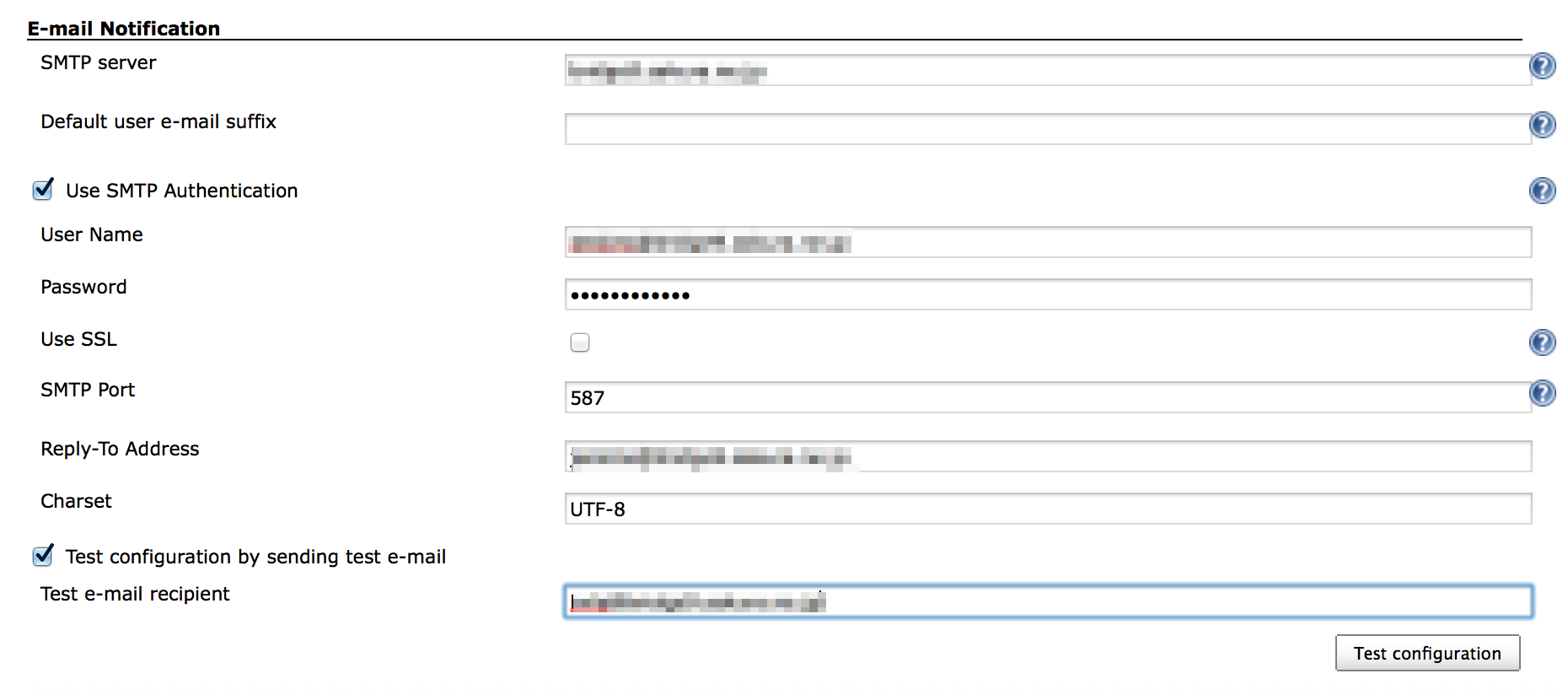
- Check “Test configuration by sending test e-mail”
- Click “Test configuration” to send test email
- Click “Save” in the bottom of the page
Configure a project to send email at every build
- Click “Add post-build action”
- Click “Editable Email Notification”
- Click “Advanced Settings…”
- Click “Add Trigger”
- Click “Always”
- Save
Test-run
- Click “Build Now”
- Check Console output and received email
[INFO] ------------------------------------------------------------------------
[INFO] BUILD SUCCESS
[INFO] ------------------------------------------------------------------------
[INFO] Total time: 3.497s
[INFO] Finished at: Sat Feb 22 22:27:21 JST 2014
[INFO] Final Memory: 18M/245M
[INFO] ------------------------------------------------------------------------
[JENKINS] Archiving /Users/Shared/Jenkins/Home/jobs/BuildAndTestHead/workspace/hellojenkins/pom.xml to org.nailedtothex/hellojenkins/0.0.1-SNAPSHOT/hellojenkins-0.0.1-SNAPSHOT.pom
channel stopped
Archiving artifacts
Email was triggered for: Always
Sending email for trigger: Always
Sending email to: kyle@example.com
Finished: SUCCESS

