Install dan setting neevia diserver

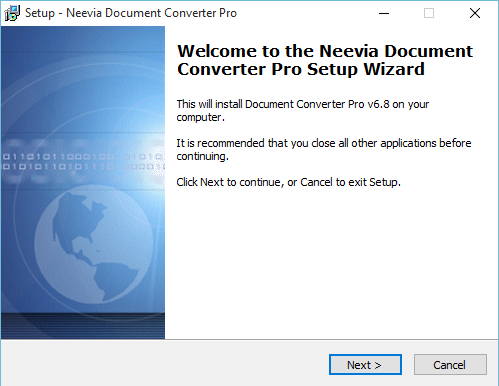
  1. Install neevia document converter pro
    Master neevia
    Install neevia
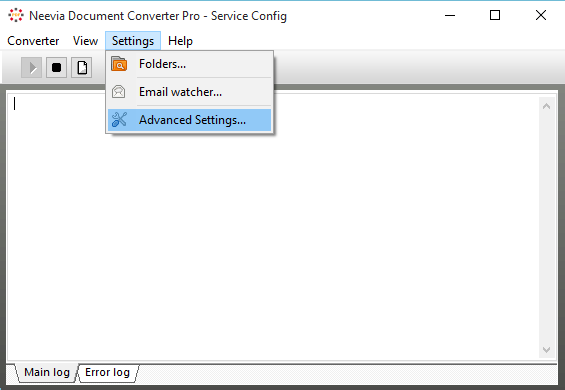
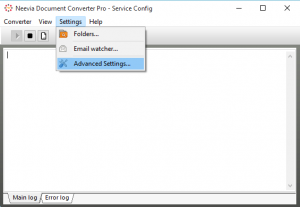
  2. Buka dConverter.exe di Program Files > neevia.com >> docConverterPro
    lalu pilih setting >> Advance Settings
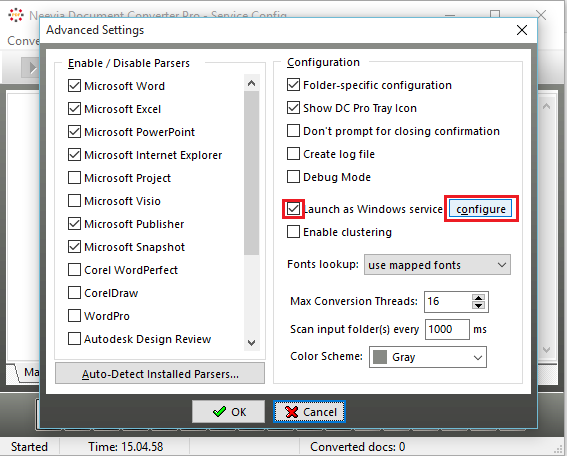
  3.  Centang “Launch as Windows Service” dan klik configure
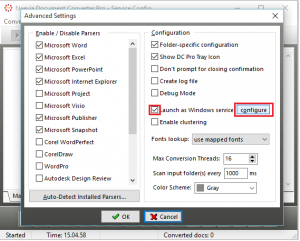
    Advanced Settings
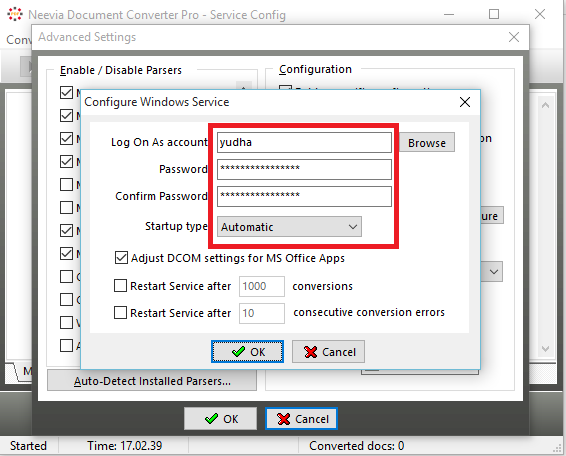
  4. isi sesuai dengan username dan password pc dan plih startup type “Automatic”
    Configure Window Service

Yosef Sukianto has written 36 articles

Leave a Reply

Your email address will not be published. Required fields are marked *

You may use these HTML tags and attributes: <a href="" title=""> <abbr title=""> <acronym title=""> <b> <blockquote cite=""> <cite> <code> <del datetime=""> <em> <i> <q cite=""> <s> <strike> <strong>