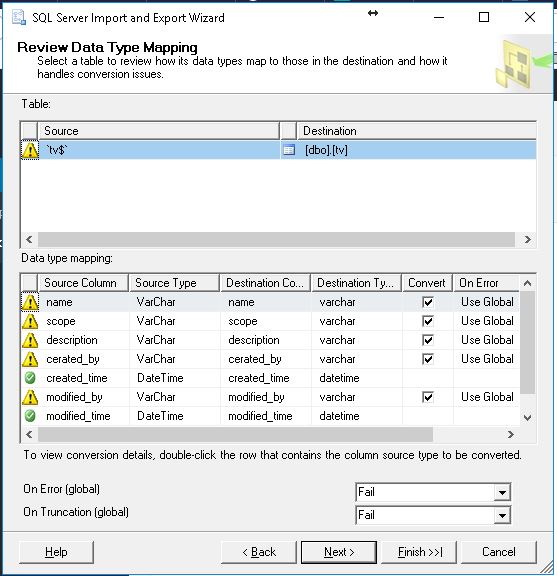
Kita dapat meng-import / meng-input data ke SQL server dari file excel. Langkahnya sbb:
File Excel
Contoh file excel yang akan di-import
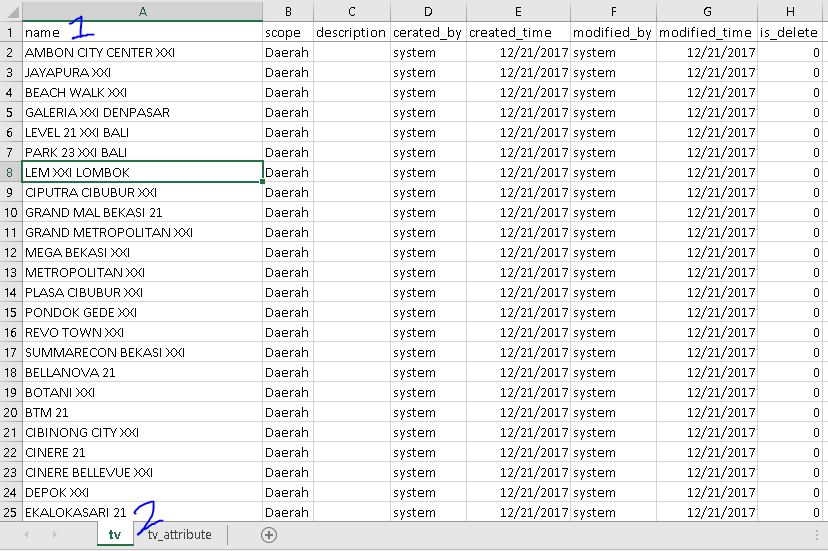
1. Header disamakan dengan nama kolom
2. Nama sheet disamakan dengan nama tabel
3. Kolom ID tidak perlu dimasukan ke excel
Sql Server Management Studio
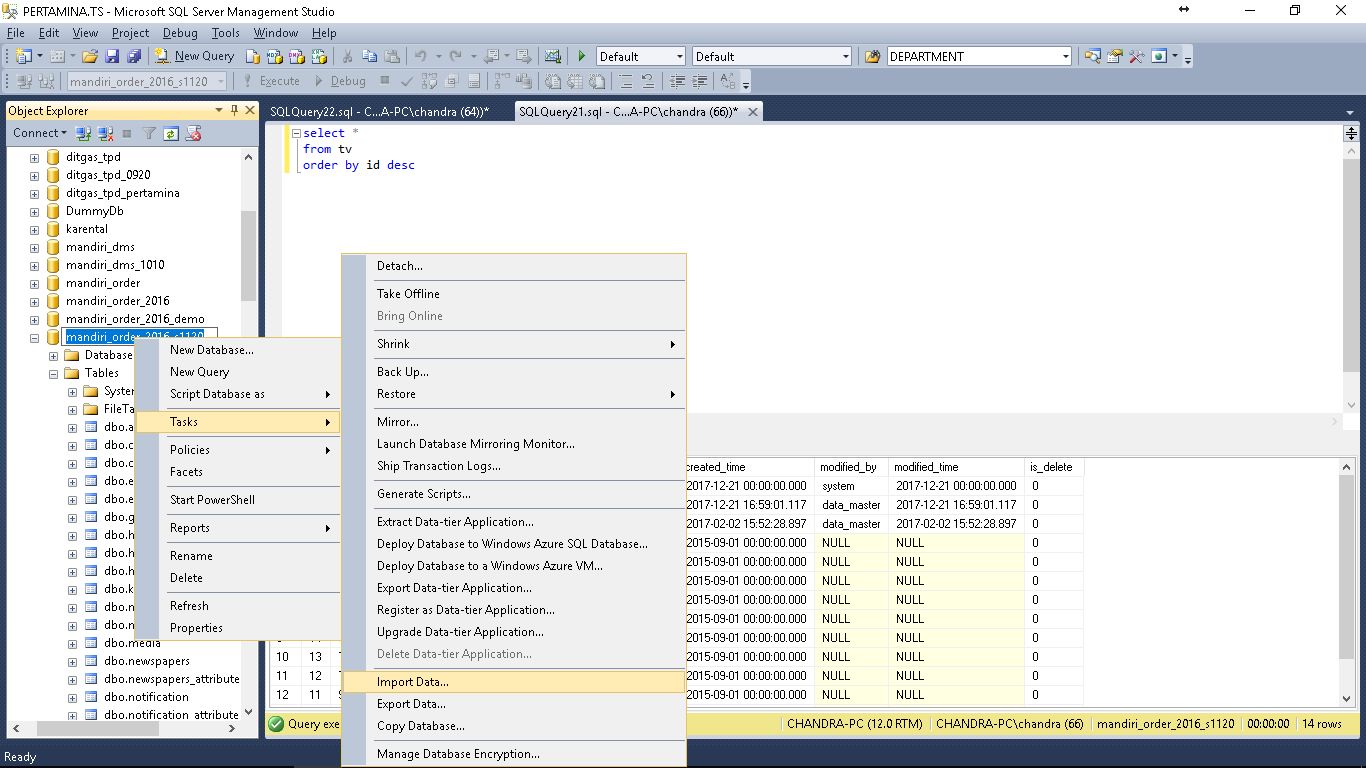
1. Pilih import data pada database yang diinginkan
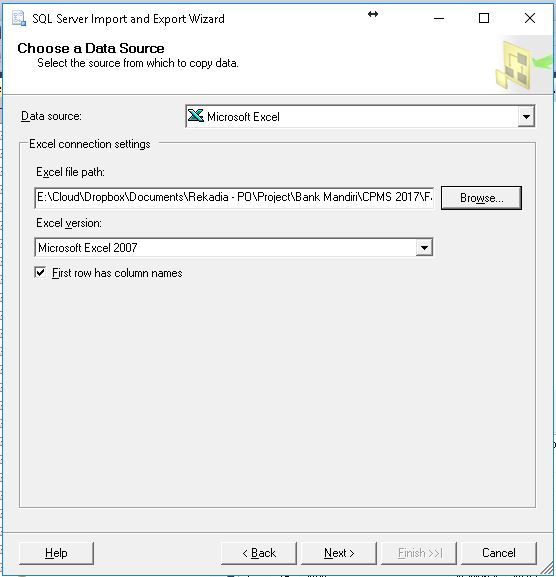
2. Pilih sumber data / data source
3. Pilih database yang akan di-import / destination
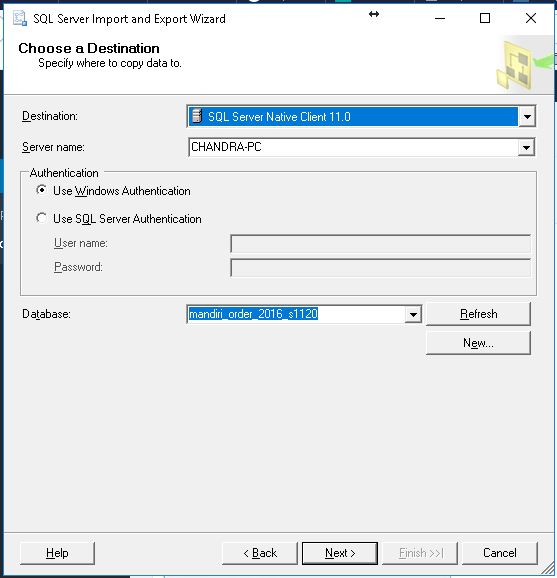
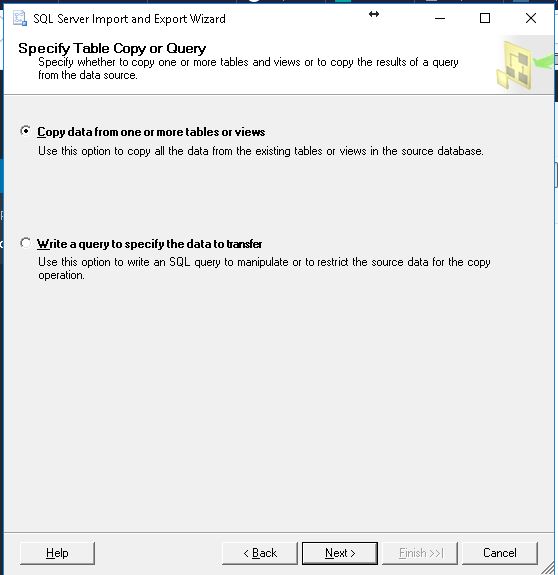
4. Next
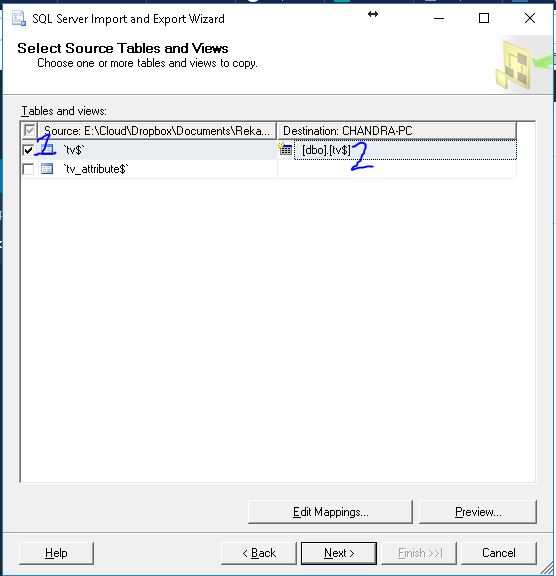
5. Centang (1) dan hapus tanda $ jika ada (2)
6. Klik finish