WordPress is a powerful blogging platform. It can support creating and using custom theme. Sometimes, people need to create their theme multilanguage supported. In this post, the technique in order to achieve multilanguage is revealed.
- Create
languagesfolder inside the theme folder. This folder will be used to saved translated text in.poand.mofiles that created using POEdit. - If you don’t have
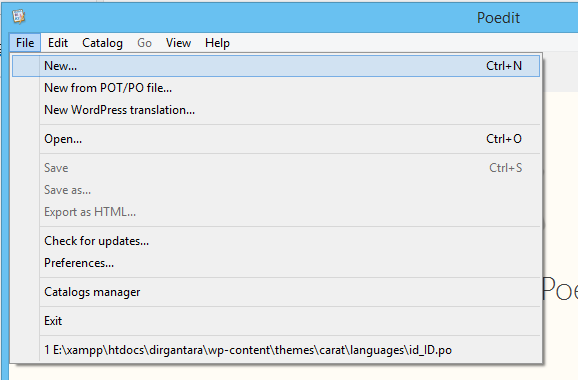
POEdit, you can download it here. - Open POEdit, then click
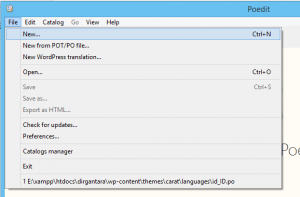
File, then clickNew..like image below.
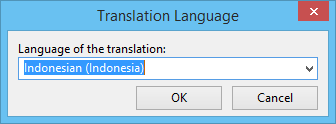
- Then, on
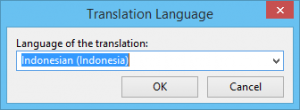
Translation Languagewindow, choose the language you want the theme to be translated. For example, to Indonesian, see image below.
- After that, save project in
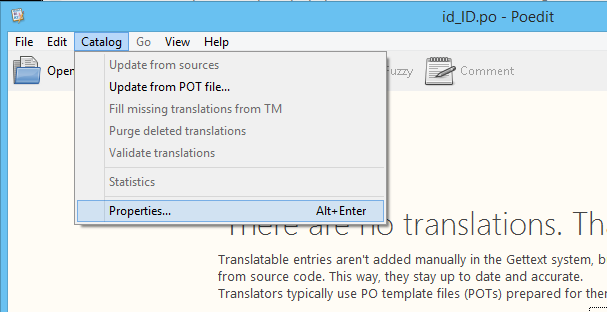
languagesfolder you have created before. - Click
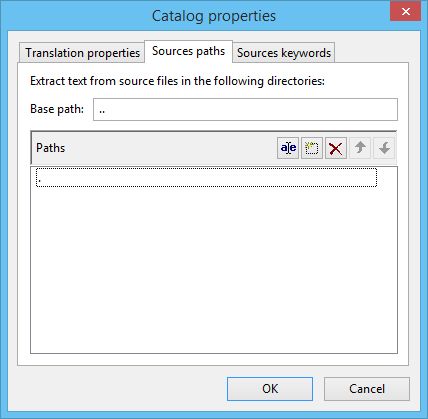
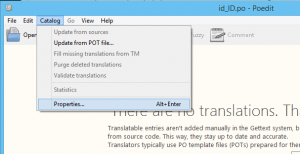
Catalog, then clickProperties. See image below.
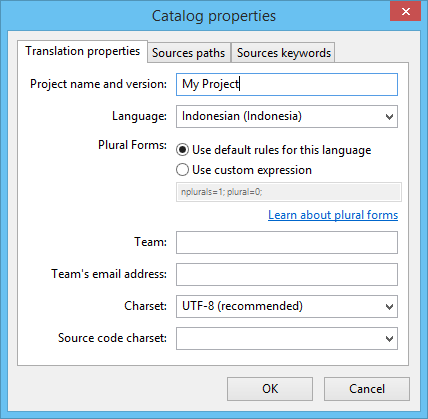
- In the
Project Name and Version, fill in the project name, i.e. My Project.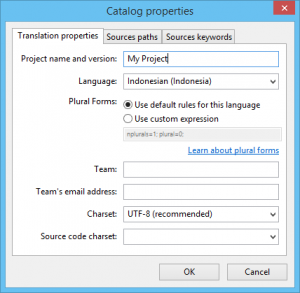
- Choose
Sources pathstab. - In the
Base path, fill in with../, in thePathssection, add new Path.. See image below.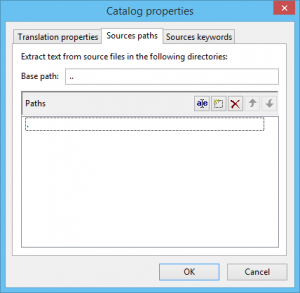
- Close
propertieswindow, then click
. - In the theme, open
functions.php, then locatedload_theme_textdomain(...), then set it to be like this:load_theme_textdomain ('my-theme', get_template_directory() . '/languages');. - After that, open all related files in theme, change all static texts into
<?=__('Your Static Text')?>. - Back to POEdit, click
 button.
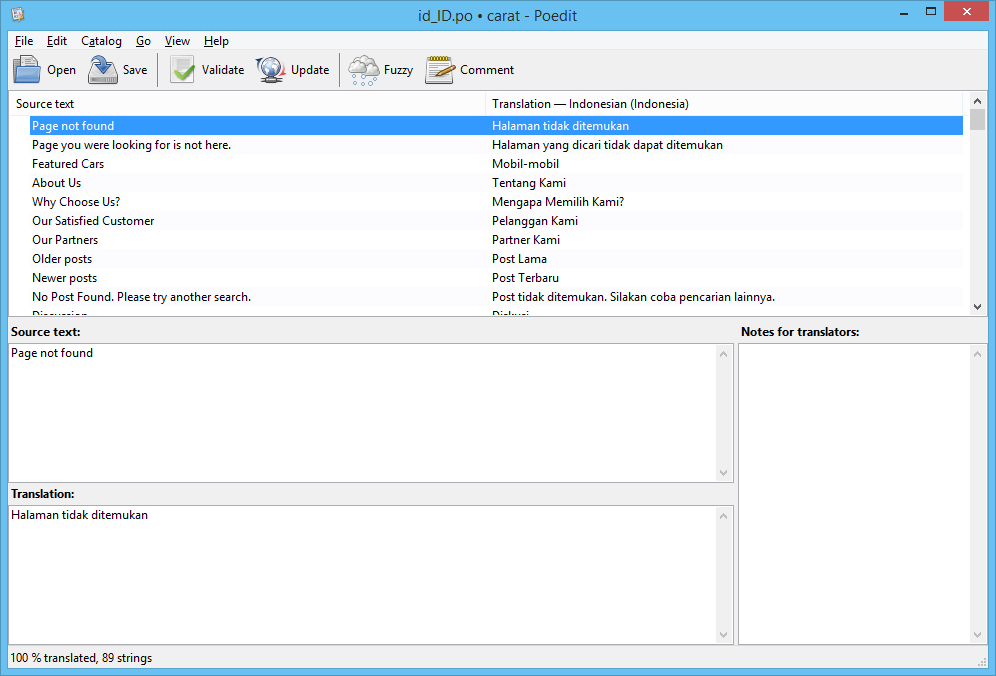
 - All text that can be translated should can be seen. See image below.
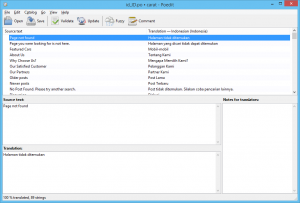
- Then, set the translation of each text.
- After all texts complete, click .
- Open your wordpress link, and add
?lang=idat the link. All static texts should be translated now in Indonesia language based on translated text you set in POEdit.